
Quick answer
Claude is a model. Lexi is an operating system for the firm.
Claude is strong for reasoning, writing, summarization, and analysis. Lexi is built to turn firm events into operational follow-through: intake captured, owner assigned, client contacted, next step scheduled, and matter movement visible.
- Choose Claude for flexible one-off drafting, review, summarization, and brainstorming.
- Choose Lexi when the firm needs repeatable workflows that do not depend on attorneys prompting a chat window.
- Use both when attorneys want a powerful model and the firm needs an operational system around client work.
This guide is written for law firm buyers comparing operational fit as of May 2026. Lexi is our product, so the recommendation is explicit about where Lexi fits, where another tool may be the better answer, and which workflow problem should drive the decision.
Many attorneys are already experimenting with Claude for:
- drafting
- brainstorming
- summarization
- document review
- legal research assistance
Claude is one of the strongest general-purpose AI models available today. But using Claude inside a law firm still leaves an important gap: Running the firm itself. That is the layer Lexi is designed for.
What Claude Does Well
Claude is a frontier AI model designed for reasoning, writing, summarization, and conversational workflows.
Law firms are increasingly using Claude for:
- drafting assistance
- summarizing documents
- reviewing contracts
- organizing research
- brainstorming legal arguments
- internal productivity tasks
For many attorneys, Claude already functions like an intelligent assistant.
Where Law Firms Still Struggle
Even firms actively using Claude still manage operations through:
- email chains
- spreadsheets
- disconnected intake systems
- manual scheduling
- fragmented follow-up
- administrative handoffs
The AI may be powerful. The workflow around it often is not.
That operational friction creates:
- missed leads
- slower onboarding
- inconsistent communication
- unnecessary administrative work
- delayed client response times
What Lexi Does
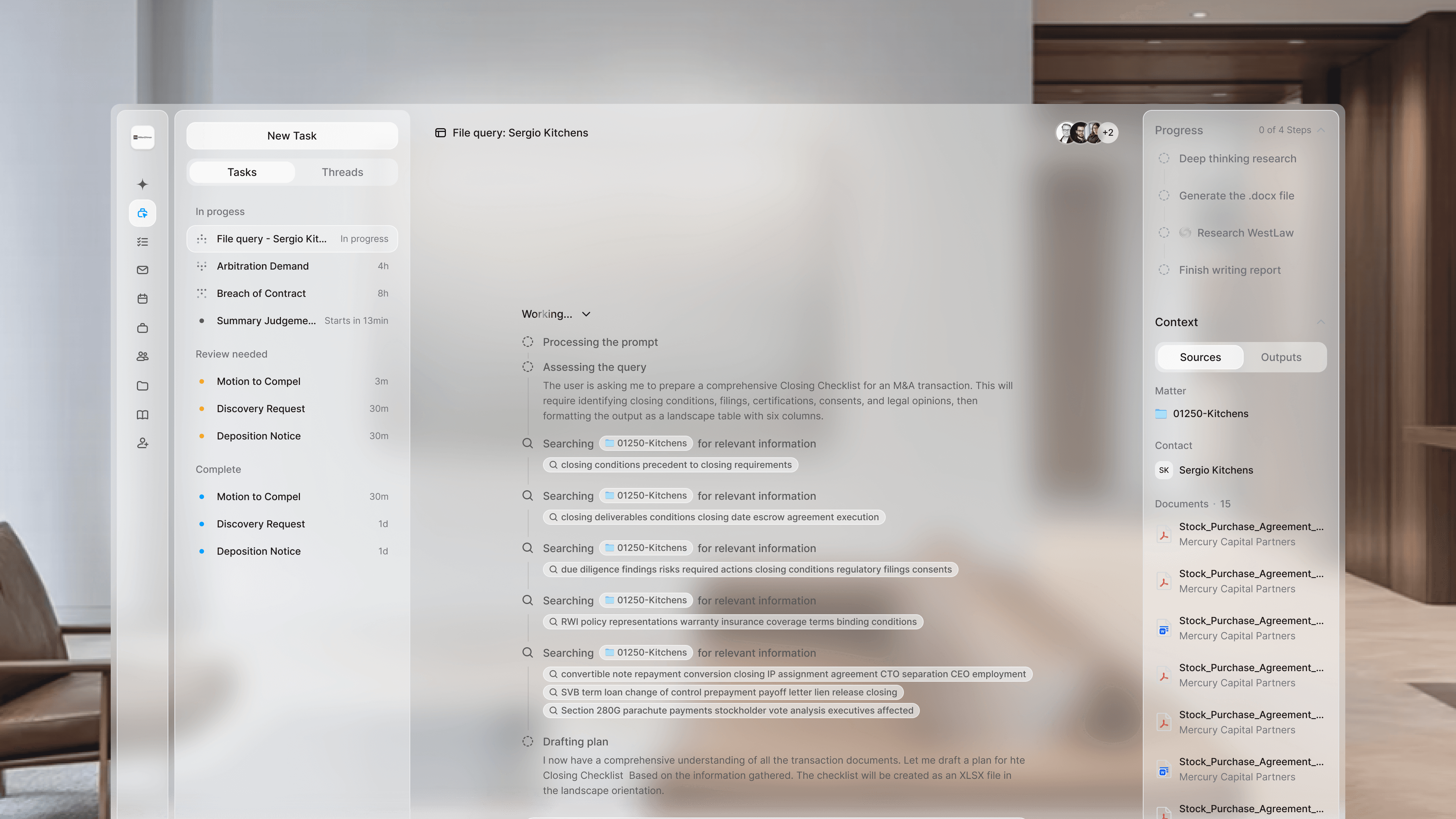
Lexi OS turning an intake signal into scheduled follow-up, assigned work, client messages, and a visible matter timeline.
Lexi is an AI operations platform designed specifically for law firms.
It handles:
- intake
- scheduling
- client communication
- workflow coordination
- deadline tracking
- administrative execution
The work around legal work.
Instead of asking attorneys to build workflows manually around a general-purpose AI model, Lexi provides a structured operational system designed for how law firms actually function.
General AI vs Legal Operations Infrastructure
| Question | Claude | Lexi |
|---|---|---|
| Primary job | General-purpose reasoning, writing, summarization, and analysis | Run the operational work around the legal work |
| Best for | One-off drafting, review, brainstorming, and document summaries | Intake, communication, follow-up, workflow movement, and administrative execution |
| System layer | Model layer used through prompts and conversations | Operational execution layer that connects existing tools |
| Firm outcome | Better or faster legal output | Faster response, cleaner intake, less administrative drag, and more consistent client experience |
Claude is a general intelligence layer. Lexi is operational infrastructure for law firms. That distinction matters.
Claude can help generate work.
Lexi helps move work through the firm:
- from intake
- to assignment
- to communication
- to completion
Why Firms Use Both
Many firms will use Claude alongside Lexi.
Claude helps attorneys:
- think
- draft
- summarize
- analyze
Lexi helps firms:
- respond faster
- onboard clients faster
- coordinate work
- reduce operational drag
- standardize workflows
They solve different problems.
What Lexi Replaces
Lexi reduces dependence on fragmented systems like:
- intake forms
- disconnected CRMs
- scheduling tools
- repetitive admin workflows
- manual client follow-up
- internal coordination overhead
It works inside systems firms already use:
- Clio
- Westlaw
- Slack
- Microsoft Teams
The goal is not adding another tool. The goal is reducing operational fragmentation.
Who Claude Is Best For
Claude is best for attorneys looking for:
- general AI assistance
- drafting support
- summarization
- research organization
- flexible conversational workflows
Who Lexi Is Best For
Lexi is best for firms trying to improve:
- intake efficiency
- responsiveness
- workflow coordination
- client communication
- operational consistency
- administrative scalability
Especially firms handling growing client volume or operational bottlenecks.
FAQ
Is Claude enough for a law firm?
Claude can be useful for individual legal productivity, but it is not a law firm operations system. Firms still need a way to manage intake, scheduling, communication, deadlines, and follow-up.
How is Lexi different from Claude?
Claude responds to prompts. Lexi runs structured workflows for law firms, including intake, client communication, workflow coordination, deadline tracking, and administrative execution.
Should attorneys use Claude or Lexi?
Attorneys may use Claude for analysis and drafting while the firm uses Lexi to move matters through operational steps. The right choice depends on whether the problem is work product or workflow execution.
What does Lexi add beyond a general AI model?
Lexi adds firm-specific workflows, operational visibility, handoff management, and integration into the systems where the firm already works.
Claude is a powerful AI model. Lexi is a system built specifically for how law firms operate.